ClickHouse
ClickHouse
- Purpose: Connect to ClickHouse, a high-performance column-oriented database for OLAP analytics.
- When to use it: Best for real-time analytics on large event datasets where query speed is critical.
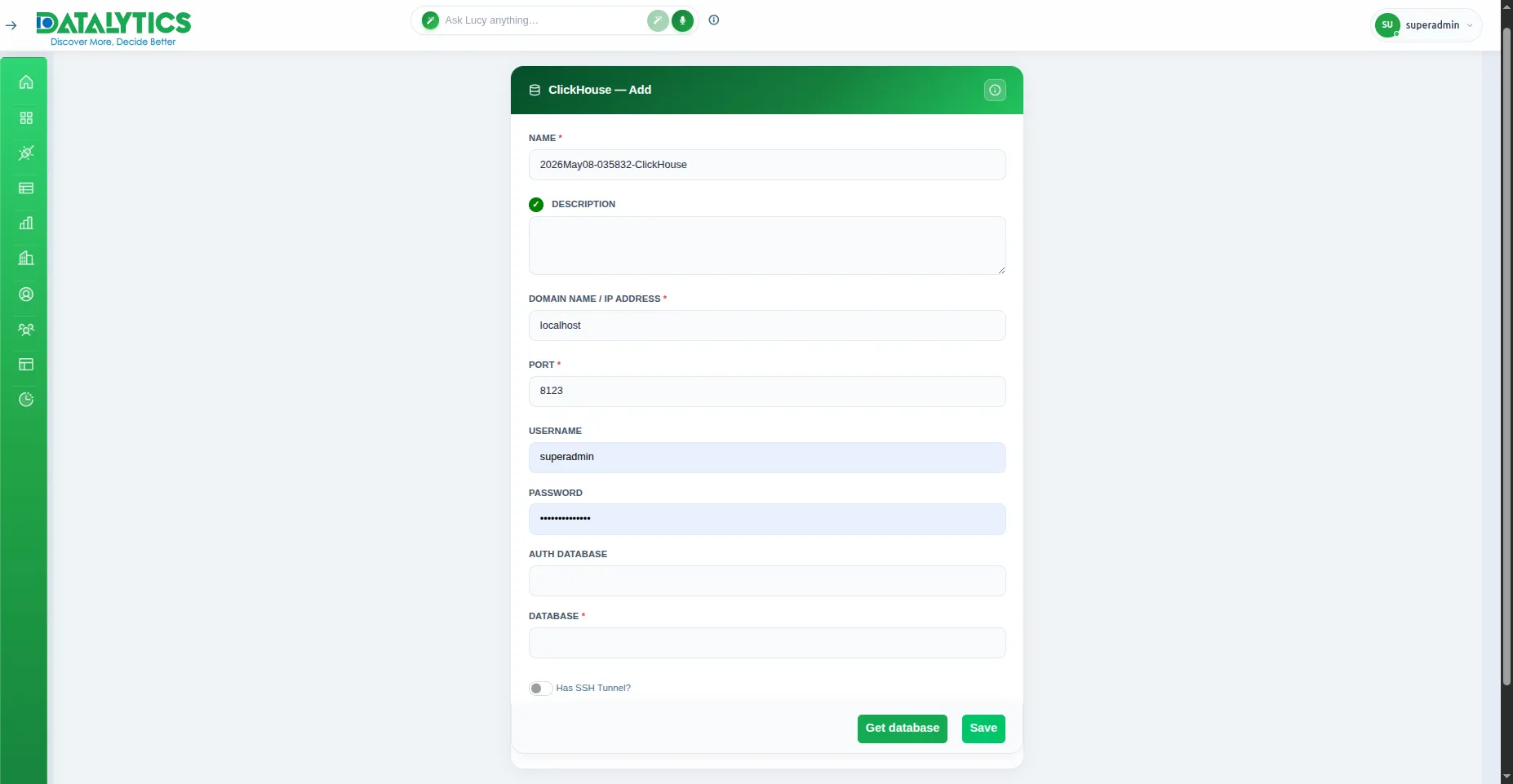
- How to create it:
- Go to Data Sources and click Add.
- Select ClickHouse.
- Name: Enter a unique name for this connection.
- Host: ClickHouse server IP or hostname.
- Port: Default is
8123 (HTTP interface).
- Database Name: The ClickHouse database to connect to.
- Username / Password: Your ClickHouse credentials (default user is
default).
- SSH Tunnel: (Optional) Enable for private servers — see SSH Tunnel.
- Click Test Connection to verify, then Save.
![]()