Amazon Redshift
Amazon Redshift
- Purpose: Connect to Amazon Redshift, a PostgreSQL-compatible cloud data warehouse.
- When to use it: Best for large-scale analytical queries on structured data stored in AWS Redshift clusters.
- How to create it:
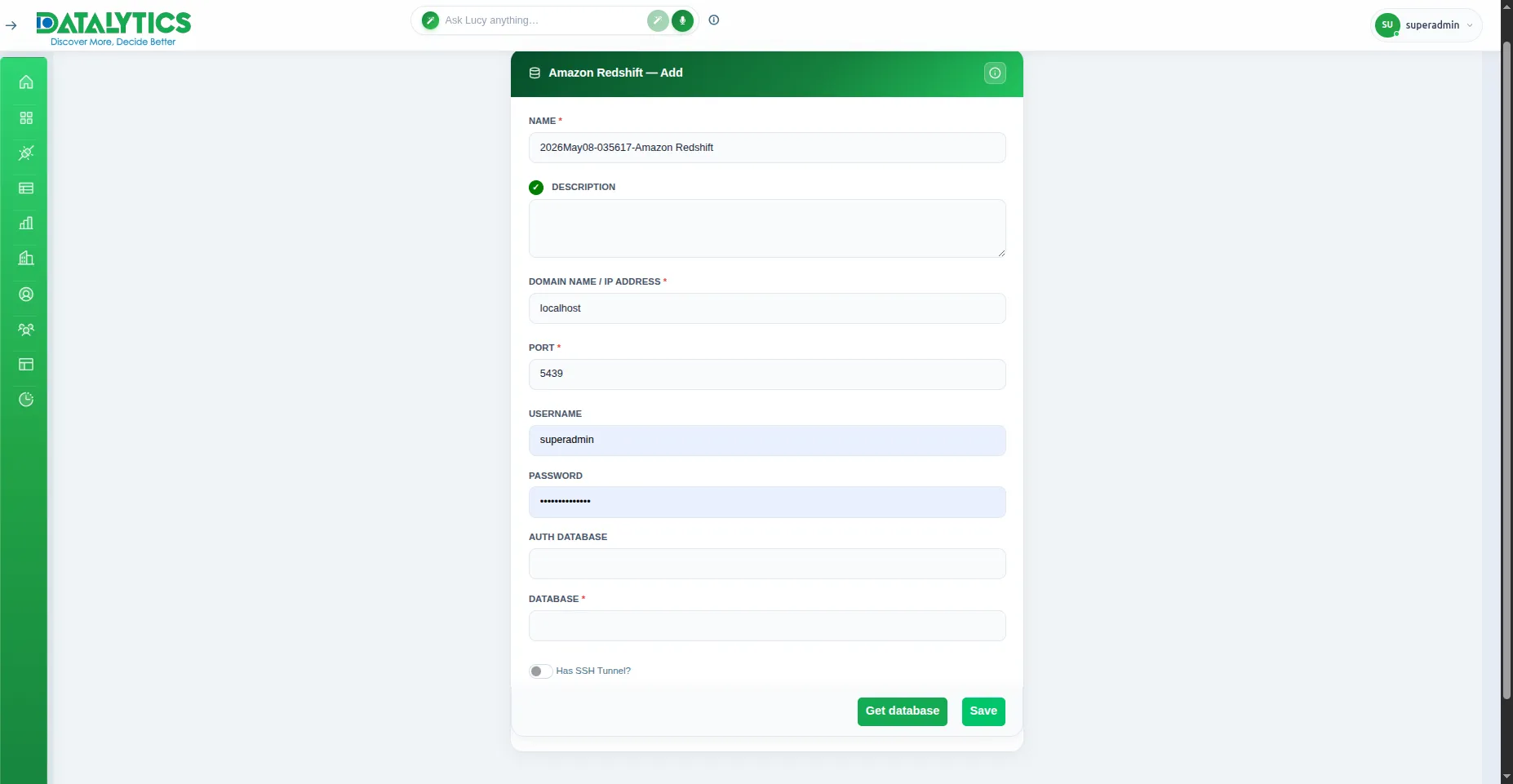
- Go to Data Sources and click Add.
- Select Amazon Redshift.
- Name: Enter a unique name for this connection.
- Host: Redshift cluster endpoint (e.g.,
cluster.xxxx.us-east-1.redshift.amazonaws.com). - Port: Default is
5439. - Database Name: The Redshift database to connect to.
- Schema: (Optional) Default is
public. - Username / Password: Database user credentials.
- SSH Tunnel: (Optional) Enable if your cluster is in a private VPC — see SSH Tunnel.
- Click Test Connection to verify, then Save.
Note: Ensure your Redshift cluster’s security group allows inbound connections from the Datalytics IP address on port
5439.