Snowflake
Snowflake
- Purpose: Connect to Snowflake cloud data warehouse for scalable analytics.
- When to use it: Best for teams centralizing data in Snowflake and wanting live dashboards without data movement.
- How to create it:
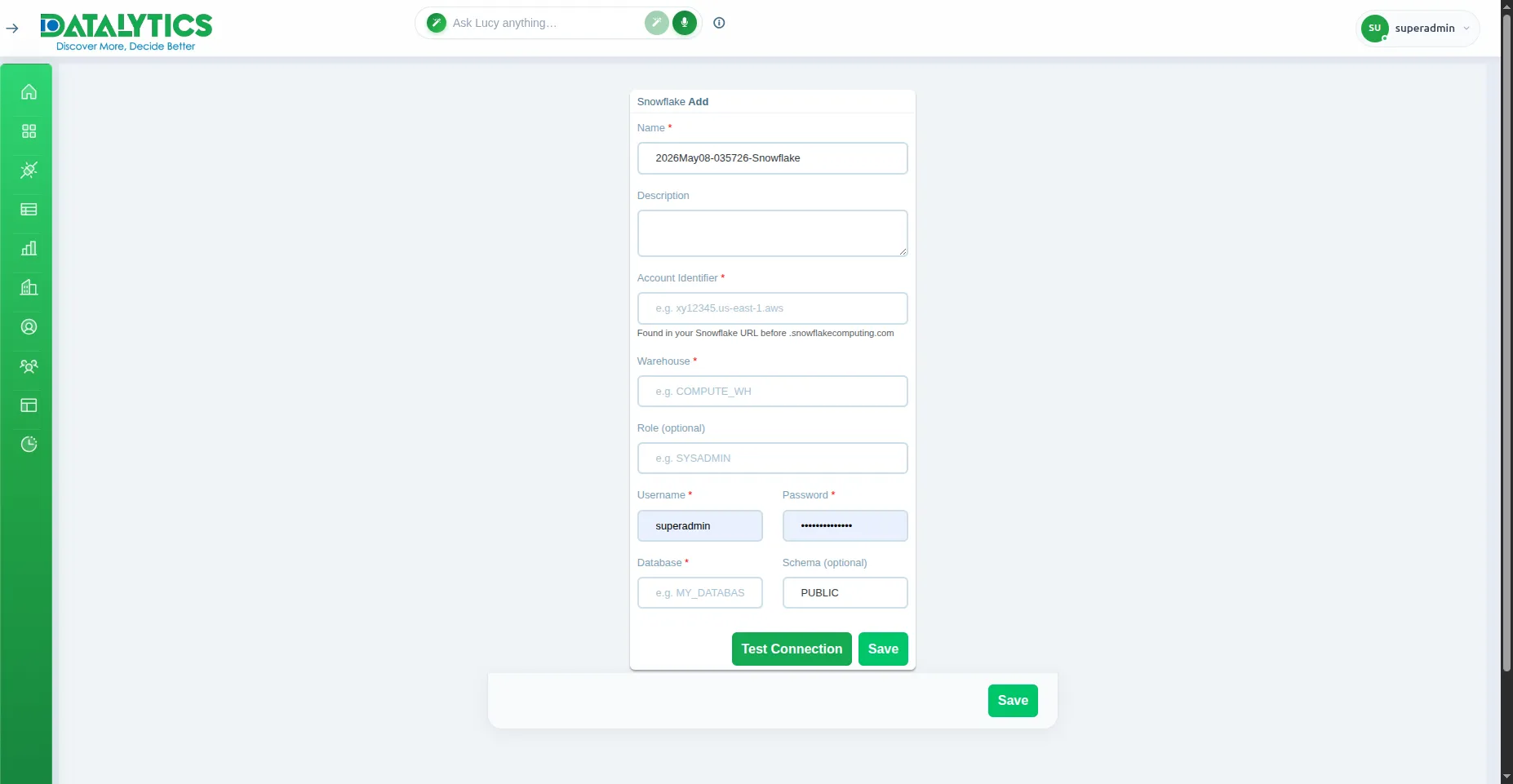
- Go to Data Sources and click Add.
- Select Snowflake.
- Name: Enter a unique name for this connection.
- Account: Your Snowflake account identifier (e.g.,
xy12345.us-east-1— found in your Snowflake URL). - Username / Password: Snowflake user credentials.
- Database: The Snowflake database to connect to.
- Schema: Default is
PUBLIC. - Warehouse: The virtual warehouse to use for queries (e.g.,
COMPUTE_WH). - Role: (Optional) Snowflake role to use (e.g.,
SYSADMIN,REPORTER). - Click Test Connection to verify, then Save.
Note: The Snowflake user must have
USAGEprivilege on the warehouse, database, and schema, plusSELECTon the tables to query.