Redis
Redis
- Purpose: Connect to a Redis in-memory store. Datalytics ingests HASH keys as rows for analysis.
- When to use it: Useful for analyzing cached objects, session data, or any structured data stored as Redis HASH keys.
- How to create it:
- Go to Data Sources and click Add.
- Select Redis.
- Name: Enter a unique name for this connection.
- Host: Redis server IP or hostname (e.g.,
127.0.0.1). - Port: Default is
6379. - Username / Password: Credentials if ACL authentication is enabled.
- Key Pattern: Pattern to match HASH keys (default
*= all keys; e.g.,user:*). - DB Number: Redis logical database index (default
0). - Scan Limit: Maximum keys to scan (default
50,000). - Click Test Connection to verify, then Save.
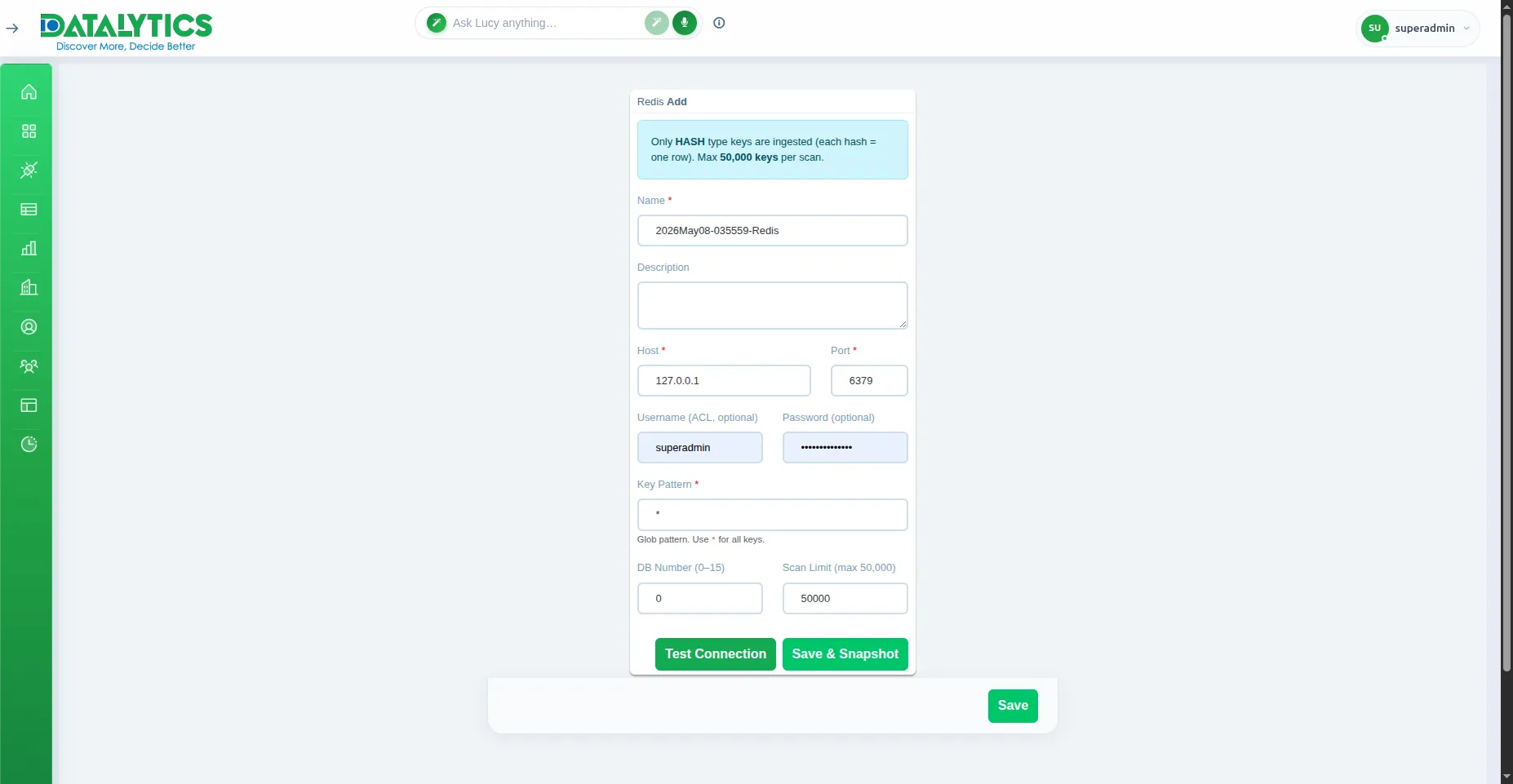
Note: Only keys of type HASH are imported as rows. Other key types (string, list, set, zset) are skipped.