Elasticsearch
Elasticsearch
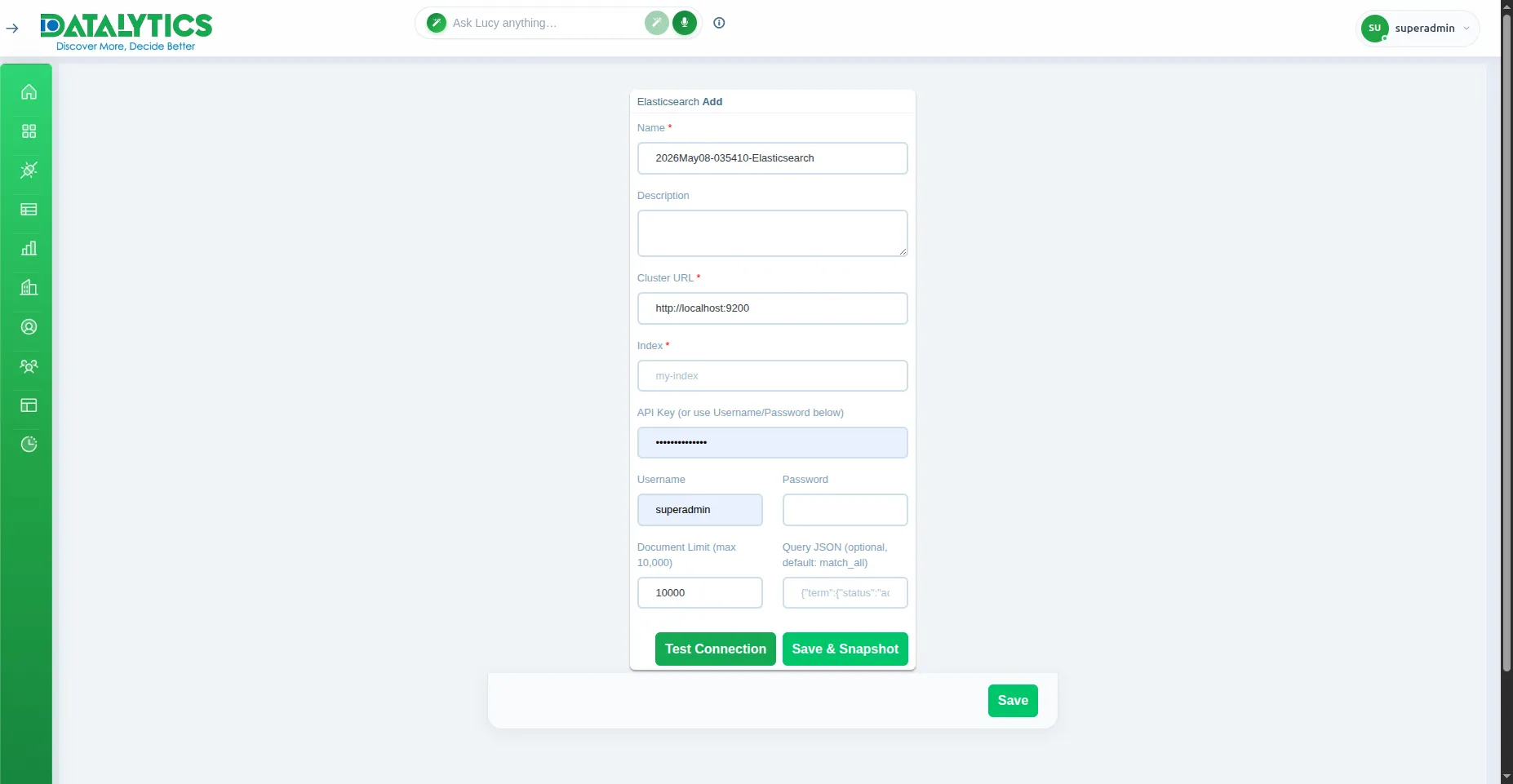
- Purpose: Connect to an Elasticsearch cluster for full-text search and log analytics.
- When to use it: Best for analyzing application logs, event streams, and search indices stored in Elasticsearch or OpenSearch.
- How to create it:
- Go to Data Sources and click Add.
- Select Elasticsearch.
- Name: Enter a unique name for this connection.
- URL: Cluster endpoint (e.g.,
http://localhost:9200 or your Elastic Cloud URL).
- Index: The index name to query (e.g.,
logs-*).
- Authentication: Choose one:
- API Key: Paste the Base64-encoded Elasticsearch API key.
- Username / Password: Basic auth credentials.
- Scan Limit: Maximum documents to fetch per query (default
10,000).
- Query: (Optional) DSL filter to narrow results on load.
- Click Test Connection to verify, then Save.
![]()