Databricks
Databricks
- Purpose: Connect to Databricks, a unified analytics platform built on Apache Spark.
- When to use it: Ideal for querying Delta Lake tables and ML-ready data in Databricks SQL warehouses.
- How to create it:
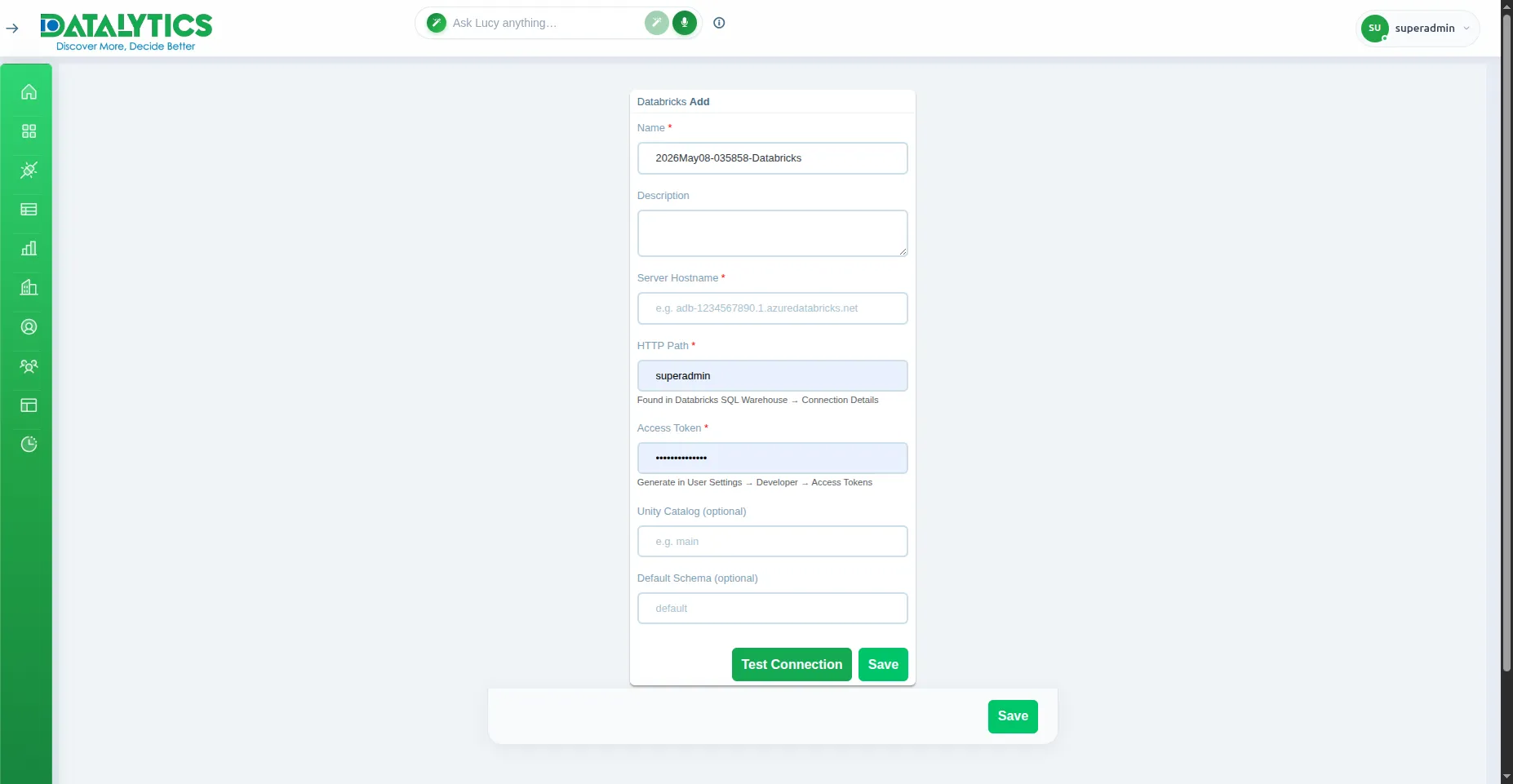
- Go to Data Sources and click Add.
- Select Databricks.
- Name: Enter a unique name for this connection.
- Server Hostname: Your Databricks workspace hostname (e.g.,
adb-1234567890.1.azuredatabricks.net).
- HTTP Path: SQL warehouse or cluster HTTP path (e.g.,
/sql/1.0/warehouses/xxxx). Found under SQL Warehouses → Connection Details.
- Access Token: A Databricks personal access token. Generate at User Settings → Developer → Access Tokens.
- Catalog: (Optional) Unity Catalog name (leave blank to use the default
hive_metastore).
- Schema: (Optional) Default schema to use within the catalog.
- Click Test Connection to verify, then Save.
![]()