BigQuery
Google BigQuery
- Purpose: Connect to Google Cloud BigQuery for serverless, scalable data warehouse analytics.
- When to use it: Ideal for teams using BigQuery as their central analytics layer in Google Cloud Platform.
- How to create it:
- Go to Data Sources and click Add.
- Select BigQuery.
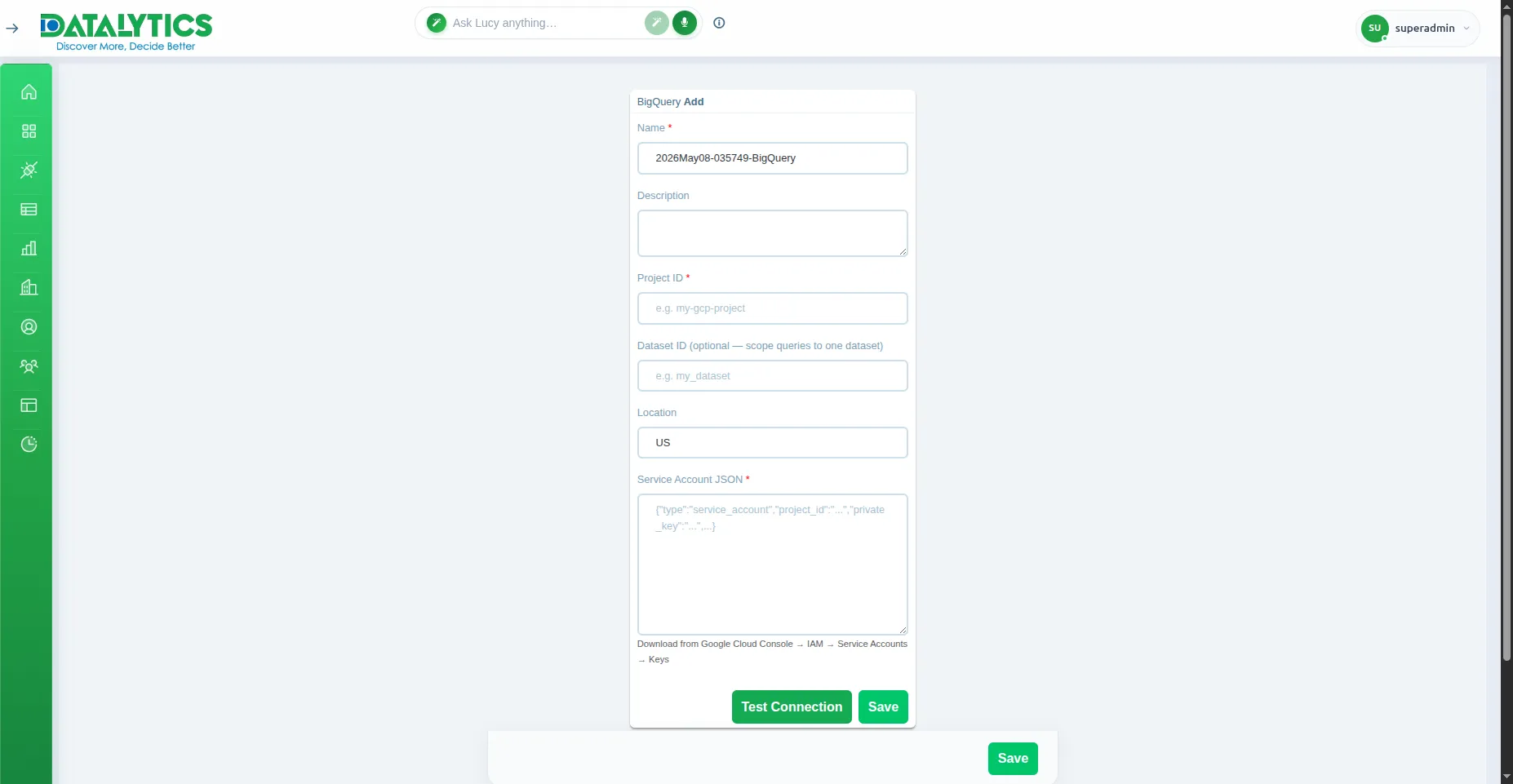
- Name: Enter a unique name for this connection.
- Project ID: Your GCP project ID (e.g.,
my-project-123456). - Dataset ID: (Optional) Default BigQuery dataset to query.
- Service Account JSON: Paste the full JSON content of a GCP service account key with BigQuery access.
- Location: Dataset location (default
US; change if your dataset is inEUor a regional location). - Click Test Connection to verify, then Save.
Note: The service account must have the BigQuery Data Viewer and BigQuery Job User roles on the project.
To generate a key: GCP Console → IAM → Service Accounts → Create Key → JSON.