Amazon S3
Amazon S3
- Purpose: Read CSV or JSON files stored in an Amazon S3 bucket.
- When to use it: Ideal for analyzing data exports, logs, or reports uploaded to S3 without moving files to a database.
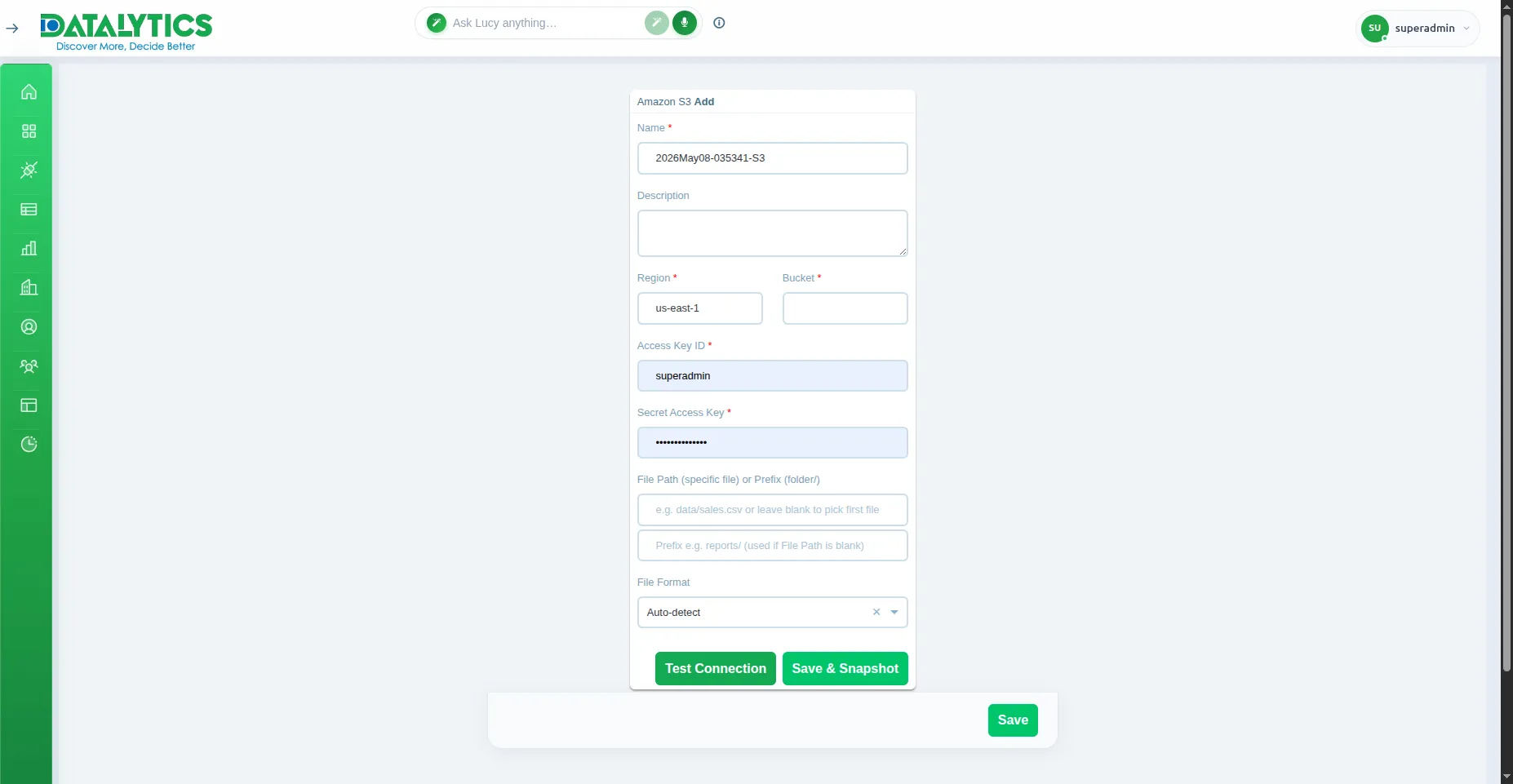
- How to create it:
- Go to Data Sources and click Add.
- Select Amazon S3.
- Name: Enter a unique name for this connection.
- Region: AWS region of your bucket (e.g.,
us-east-1). - Access Key ID: Your AWS IAM access key.
- Secret Access Key: The corresponding secret key.
- Bucket: Name of the S3 bucket.
- Prefix: (Optional) Folder path within the bucket to filter files.
- File Path: (Optional) Specific file path inside the bucket.
- File Format: Set to
autoto detect CSV or JSON automatically, or specify manually. - Click Test Connection to verify, then Save.
Note: The IAM user must have at least
s3:GetObjectands3:ListBucketpermissions on the target bucket.