Airtable
Airtable
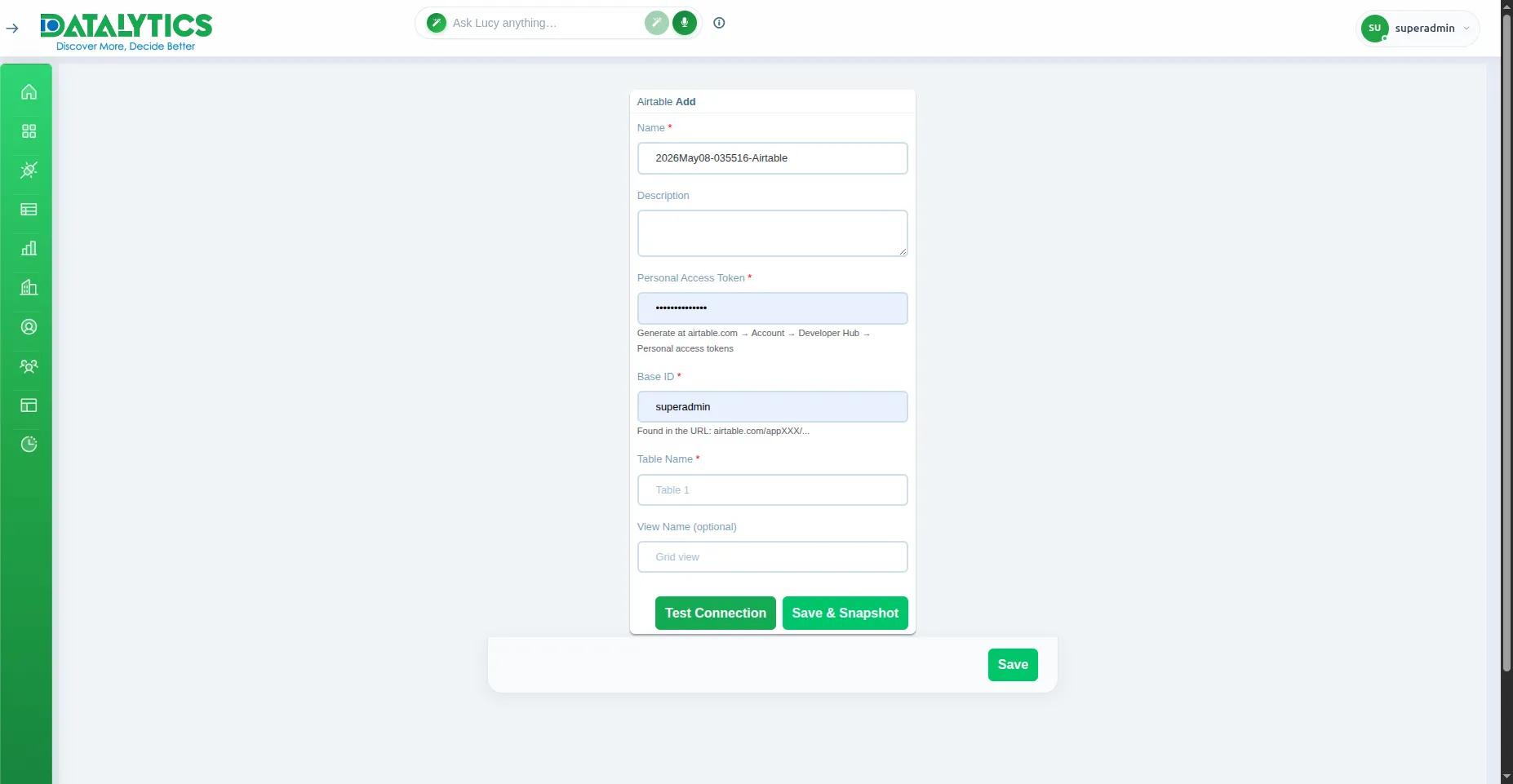
- Purpose: Connect to an Airtable base to analyze spreadsheet-database data.
- When to use it: Great for teams managing structured data in Airtable who want to build dashboards without exporting manually.
- How to create it:
- Go to Data Sources and click Add.
- Select Airtable.
- Name: Enter a unique name for this connection.
- API Key: Your Airtable personal access token (generated at airtable.com/account).
- Base ID: The ID of your Airtable base (found in the base URL:
https://airtable.com/appXXXXXXXX). - Table Name: The exact name of the table to connect.
- View: (Optional) Load a specific view’s filtered and sorted records instead of all rows.
- Click Test Connection to verify, then Save.
Note: Use a Personal Access Token with
data.records:readscope — legacy API keys are deprecated by Airtable.